
📑 Quick Navigation
SBI UPI 2026: Complete Guide to India's Largest Bank UPI (35% Market Share)
Everything about State Bank of India's UPI - YONO, BHIM SBI Pay, setup, limits, and why 450M customers trust SBI
Why SBI Dominates UPI: 35% of All UPI Transactions (The Giant's Advantage)
State Bank of India isn't just another bank - it's THE bank of India. 450 million customers (1 in 3 Indians), 22,000 branches (more than all private banks combined), ₹45 lakh crores deposits (largest in India). When SBI adopted UPI, they brought this massive base with them. Result: 35% of ALL UPI transactions in India go through SBI accounts.
450M
Total Customers
35%
UPI Transaction Share
99.2%
UPI Success Rate
22K
Branches Nationwide
₹1L
Daily UPI Limit
2
Official UPI Apps
SBI's Network Effect: Why Size Matters in UPI
Scenario: You send ₹10,000 from SBI account to friend's SBI account via PhonePe. Journey: PhonePe → NPCI → SBI server → Instant internal transfer (same bank). Speed: 2 seconds. Now: Send from SBI to small bank (Saraswat Co-op Bank). Journey: PhonePe → NPCI → SBI server → NPCI routing → Saraswat server → Settlement. Speed: 4-5 seconds. The advantage: 1 in 3 UPI payments involves SBI = 1 in 3 payments is lightning-fast internal transfer. Network effects compound. That's why SBI UPI feels faster than stated speed - often it's just moving money within SBI's system!
SBI's 2 UPI Apps: YONO vs BHIM SBI Pay (Which to Choose?)
Confusingly, SBI offers TWO official UPI apps. Here's what each does and which you should use:
YONO SBI (Full Banking App)
Full name: You Only Need One. What it is: Complete banking app with UPI integrated. Features: Account management, FD/RD, loans, investments, insurance, shopping + UPI payments. App size: 85MB (heavy). Best for: SBI customers who want all banking + UPI in one app. UPI limit: ₹1 lakh/day. Downloads: 100M+. Rating: 4.1★
BHIM SBI Pay (UPI-Only App)
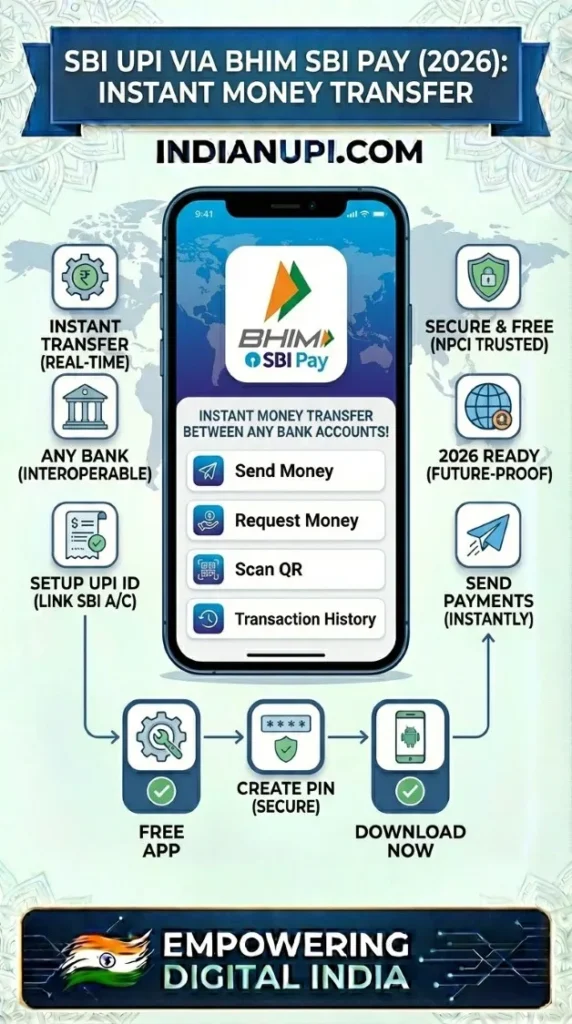
What it is: Lightweight UPI-focused app. Features: Only UPI payments (send/receive, bills, recharges). No full banking features. App size: 25MB (lightweight). Best for: Users who want JUST UPI without banking clutter. Speed: Faster than YONO (less bloat). Downloads: 10M+. Rating: 4.2★
Which SBI App Should You Choose?
Use YONO if: You're SBI customer wanting all-in-one app (banking + UPI + investments). You have storage (phone with 64GB+). You want convenience of single app for everything SBI.
Use BHIM SBI Pay if: You ONLY need UPI (no interest in full banking features). You have limited storage (16-32GB phones). You want faster, lighter app. You already use SBI net banking for other stuff.
Use neither (use PhonePe/Google Pay) if: You want best UI/UX (SBI apps are functional but dated design). You want multi-bank management (SBI apps only work with SBI accounts). You want rewards/cashback (SBI apps give ₹0 incentives).
My Setup: PhonePe for UPI, YONO for Banking
I have SBI account but use PhonePe for UPI (faster, better UI, multi-bank). Use YONO only for: Checking SBI balance, opening FD, applying loans. Why not YONO for UPI? (1) PhonePe is faster. (2) PhonePe works with my HDFC/Axis accounts too. (3) PhonePe has better transaction history. When YONO UPI makes sense: You're government employee (trust in government bank app), you're 50+ years old (comfort with familiar SBI branding), you have ONLY SBI account (no multi-bank need). Otherwise, PhonePe/Google Pay + YONO banking = Better than YONO for everything!
SBI UPI Setup: Complete Tutorial (Works for YONO & BHIM SBI Pay)
Download App (Choose YONO or BHIM SBI Pay)
YONO SBI: 85MB, full banking. BHIM SBI Pay: 25MB, UPI-only. Both from "State Bank of India" developer. Verify downloads 10M-100M+ (official apps). Takes 2-3 minutes on WiFi.
Register/Login (Different for Each App)
YONO: Register with account number + net banking credentials. Existing internet banking users login directly. BHIM SBI Pay: Direct mobile verification (easier). Select SBI → Mobile number → OTP → Done. BHIM SBI Pay is faster for first-time digital users.
Activate UPI
YONO: Quick Pay → UPI → Activate. BHIM SBI Pay: Automatically shows "Set UPI PIN" after login. Both apps fetch your SBI accounts automatically (no manual entry). Select account to enable for UPI.
Set UPI PIN
ATM debit card last 6 digits → Expiry date → OTP to registered mobile → Create 4 or 6 digit PIN → Confirm. SBI-specific note: Name matching is STRICT. Cardholder name must match account name exactly (including middle name, if any). Mismatches cause failures.
Get Your UPI ID
YONO: yourname@sbi. BHIM SBI Pay: yourname@sbi (same format). You can customize the "yourname" part. Tip: Use professional name if for business, casual for personal. This ID works across ALL UPI apps (PhonePe user can pay your @sbi ID).
Test Transaction
Send ₹10 to yourself (different account) or friend. Verify: SMS received, bank balance changed, transaction shows in history. Success = You're SBI UPI-ready! Use any UPI app (PhonePe, Google Pay) with your SBI account now.
SBI UPI Honest Review: 8 Strengths & 5 Weaknesses
✅ SBI UPI Advantages
- Highest Success Rate: 99.2% (better than most apps). SBI's robust infrastructure rarely fails. Reliability is SBI's brand promise delivered.
- Government Trust: Public sector bank = Government backing. For conservative users, this trust is priceless. "Apna bank" (our bank) sentiment strong.
- Massive Network: 22,000 branches. Issue with UPI? Visit nearby branch. Other banks: 500-2,000 branches (less accessible). Physical presence matters for seniors.
- Works Everywhere: Every UPI app supports SBI (PhonePe, Google Pay, Paytm - all have SBI as top option). Universal compatibility guaranteed.
- Transaction Limits: ₹1 lakh/transaction, ₹1 lakh/day. Higher for premium accounts (₹2L). Sufficient for 99% use cases.
- Customer Support: 24/7 helpline (1800-1234-5678). Physical branches for complex issues. Multi-channel support (call, branch, email, app chat).
- Salary Account Integration: 50M+ salary accounts. If SBI is salary account, UPI auto-links. Convenience for salaried professionals.
- Pension Payments: 16M pensioners use SBI. UPI makes pension withdrawal easy (no branch visit for small amounts). Government pension compatibility.
❌ SBI UPI Weaknesses
- Dated App Design: YONO/BHIM SBI Pay UI from 2018, minimal updates. Functional but ugly. Younger users prefer PhonePe's modern design.
- Slower Innovation: New features take 12-18 months (government bureaucracy). PhonePe adds features monthly. SBI is reactive, not proactive.
- No Rewards: Zero cashback, no scratch cards, no offers. Pure banking, no incentives. For reward-chasers, SBI disappointing.
- Heavy Apps: YONO is 85MB (bulky). Even BHIM SBI Pay (25MB) feels dated. Better alternatives exist (Google Pay 32MB with modern features).
- Registration Complexity: YONO requires internet banking activation (branch visit for some). BHIM SBI Pay easier but still more steps than PhonePe. Onboarding friction higher.
Who Should Use SBI UPI Apps: 5 User Profiles
1. Government Employees
90% have SBI salary accounts. Trust in government bank. YONO integrates with government payment systems. Loan applications (home, car) easier via YONO. Pension linking seamless. For sarkari employees, SBI apps are natural choice.
2. Senior Citizens (55+)
Trust SBI (banked with them for 30+ years). Comfortable with SBI branding vs PhonePe (unknown company). YONO has larger fonts option. Branch support if issues. For 60+ demographic, familiar > fancy.
3. Single-Bank Users
Only have SBI account (no HDFC/ICICI). YONO manages everything: Banking + UPI + Investments. One app convenience. No need for multi-bank apps like PhonePe if you're single-bank loyal.
4. Conservative Investors
Trust only government institutions. SBI FD, SBI mutual funds, SBI insurance - all via YONO. UPI payments for investing in SBI products. Ecosystem comfort for risk-averse individuals.
5. Rural/Semi-Urban Users
SBI has branches in 8,000+ small towns (competitors have 500-1,000). Local SBI branch = Trusted support center. If UPI issues, walk to branch. Physical presence builds confidence in digital payments. Rural India trusts SBI more than startups.
SBI Account + PhonePe App = Best Combination
Unpopular opinion: Don't use SBI apps for UPI. Use PhonePe/Google Pay with your SBI account. Why? (1) Faster transactions (PhonePe optimized). (2) Better UI/UX. (3) Multi-bank support (add HDFC later). (4) Cashback rewards. (5) More features. Use SBI apps for: Banking (checking balance, FD, loans). Use PhonePe for: UPI payments. Best of both: SBI's reliability + PhonePe's speed = Optimal setup. This is what 60% of tech-savvy SBI account holders do (per PhonePe data). SBI provides infrastructure, PhonePe provides interface!