
How to Send & Receive Money via UPI: Complete Visual Guide (4 Methods + 3 Ways)
Master UPI transfers in 5 minutes with step-by-step visual tutorials, dual-perspective views, and quick reference checklists
UPI ID vs UPI Account: Critical Clarity (Stop the Confusion!)
Before we dive into sending/receiving, let's clear the #1 confusion that trips up 70% of new users:
💡 There is NO "UPI Account"
What EXISTS: UPI ID (also called VPA - Virtual Payment Address). Format: yourname@appname. Example: rajesh@paytm, priya@phonepe.
What DOESN'T exist: "UPI Account", "UPI Bank Account", "UPI Number".
Correct terminology:
✓ "Send money to my UPI ID"
✓ "What's your UPI ID?"
✓ "Share your UPI handle"
❌ "Send to my UPI account" (no such thing)
❌ "What's your UPI number?" (it's ID, not number)
Think of it like email: You have email ADDRESS ([email protected]), not email ACCOUNT NUMBER. Similarly, you have UPI ADDRESS (rajesh@paytm), not UPI account. Your BANK account holds money. UPI ID is just your payment address that points to your bank account.
To Receive Money, Share Any of These 3:
- UPI ID (rajesh@paytm) - Works with all UPI apps, most common method
- Mobile Number (98765xxxxx) - If registered with UPI app, sender can pay using just your number
- QR Code - Generate in app, send via WhatsApp or show on phone screen for scanning
NOT needed: Bank account number, IFSC code, branch name, Aadhaar, PAN. UPI eliminates the need for all these. That's its revolutionary benefit!
4 Ways to Send Money: Choose Based on What You Know About Recipient
UPI offers 4 different methods to send money. Which to use? Depends on what information you have:
Method 1: Via Mobile Number
When: Recipient is in your phonebook.
How: Select contact → Amount → PIN → Done.
Speed: Fastest (3 taps).
Requirement: Their number must be UPI-registered.
Best for: Friends, family, regular contacts.
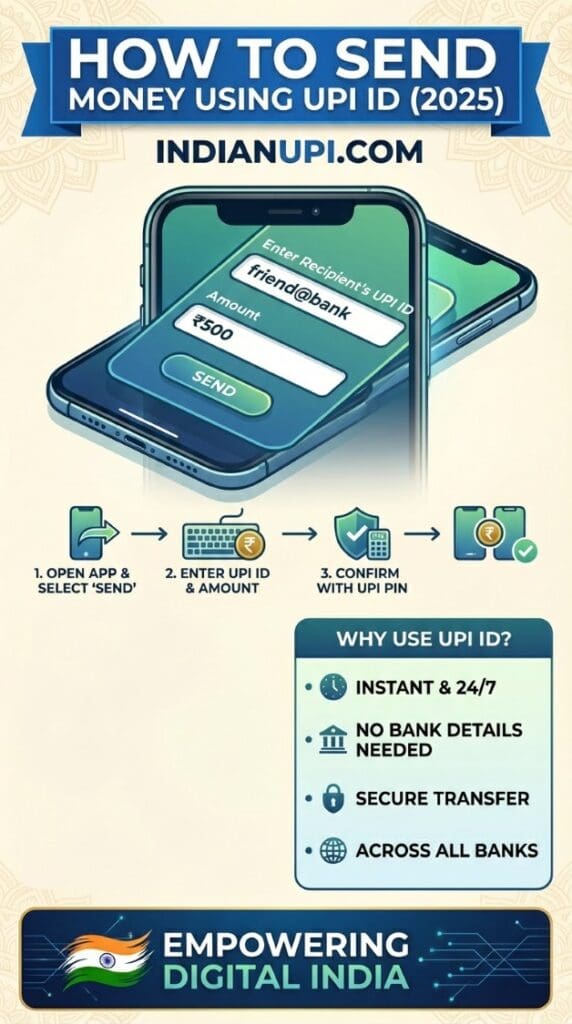
Method 2: Via UPI ID
When: Recipient shares their UPI ID (name@app).
How: Type/paste UPI ID → Amount → PIN → Done.
Speed: 10-15 seconds.
Advantage: Works even if you don't have their number saved.
Best for: New contacts, online sellers, freelancers.
Method 3: Scan QR Code
When: Paying at shops or recipient shows QR on phone.
How: Open app → Scan QR → Amount → PIN → Done.
Speed: 5-7 seconds (fastest for merchants).
Advantage: Zero typing, no chance of wrong UPI ID.
Best for: Shops, restaurants, in-person payments.
Method 4: Bank Account Number
When: Recipient doesn't have UPI (rare) or large transfers.
How: Enter account + IFSC → Amount → PIN → Done.
Speed: 20-30 seconds (slowest - more details to type).
Advantage: Works for ANY bank account (UPI or non-UPI).
Best for: Formal payments, recipients without UPI.
Which Method is Best? It Depends!
Fastest: Scan QR (5-7 sec) > Mobile number (8-10 sec) > UPI ID (12-15 sec) > Account number (25-30 sec). Most convenient: Mobile number (if in contacts). Most secure: QR code (can't type wrong). Most universal: Account number (works for everyone). Smart users master all 4 and use the right one for each situation. It's like having 4 tools in your toolkit - hammer, screwdriver, wrench, pliers. Each has its moment!
Sending Money: Visual Step-by-Step Tutorial (See Exactly What Happens)
Here's what your screen looks like at every step when sending ₹500 to a friend. Follow this EXACTLY and you can't go wrong:
👤 YOUR SCREEN (Sender)
📱 PhonePe Home Screen
↓ Tap "Send Money"
Choose Method
↓ Select "To Mobile Number"
Select Contact
987-654-3210
@priya-gpay
↓ Tap Contact
Enter Amount
↓ Tap "Proceed"
Confirm Payment
Amount: ₹500
From: SBI A/C xx1234
[●●●●●●]
↓ Enter PIN & Tap "PAY"
✅ Success!
₹500 sent to Priya
UTR: 402912345678
Time: 2:35 PM
👥 FRIEND'S SCREEN (Receiver)
📱 Google Pay Home (Idle)
↓ (Waiting...)
⏳ Processing
Bank servers communicating...
(This takes 2-5 seconds)
↓ (3 seconds later)
🔔 Notification!
₹500 received
From: Rajesh Kumar
Tap to view
↓ Tap Notification
💰 Transaction Details
From: Rajesh Kumar
(@rajesh-phonepe)
Time: 2:35 PM
UTR: 402912345678
↓ (Also receives)
📨 Bank SMS
Ac XX5678 credited
INR 500.00
on 15-Jan-26
UPI/402912345678
Avl Bal: 12,840.00
What Just Happened in Those 5 Seconds?
Second 1: You entered PIN, PhonePe app encrypted payment request and sent to NPCI servers. Second 2: NPCI verified your UPI PIN, checked balance in SBI database. Second 3: NPCI routed request to Priya's HDFC Bank. Second 4: SBI debited ₹500 from your account, HDFC credited ₹500 to Priya's account. Second 5: Both of you received confirmations. This complex dance of 4 organizations (2 apps + 2 banks + NPCI) happened faster than you reading this sentence. That's UPI's magic!
3 Simple Ways to Receive Money (Just Share One of These)
Receiving money is EASIER than sending. You don't do anything except share your payment details. Here are 3 ways, ranked by simplicity:
Easiest: Share Mobile Number
Tell sender: "Pay to 98765-43210". That's it. If your number is registered with UPI app, money reaches your linked bank account. No app opening needed on your side. You'll get notification + SMS when money arrives. Works if sender uses ANY UPI app (PhonePe, GPay, Paytm, etc.).
Professional: Share UPI ID
Tell sender: "My UPI ID is rajesh@paytm". Sounds more professional than mobile number (good for business). Works universally. Find your UPI ID in: App Settings → Profile → UPI ID displayed. You can have multiple UPI IDs (one per app you use).
Visual: Share QR Code
Open app → Profile/QR icon → Your QR appears → Screenshot and send via WhatsApp. Or show phone screen for direct scanning. Sender scans → Enters amount → Pays. Advantage: No typing (prevents errors). Perfect for: WhatsApp payments, shop counters, repeat customers.
Do You Need to "Accept" Incoming Payments?
NO! Unlike payment requests (which need approval), direct payments are automatic. Sender enters amount → Pays → Money reaches your account instantly. You don't need to: Open app, click accept, confirm receipt. It just arrives, like receiving an SMS. You get notification, that's all. Money is already in your bank account.
🤔 But What If I Don't Want Random People Sending Me Money?
Valid concern! But here's how UPI protects you: (1) Incoming money doesn't require YOUR UPI PIN (only sender enters PIN). (2) You can't be forced to keep unwanted money - return it same way. (3) All transactions have sender's UPI ID - you know who sent. (4) If suspicious, report via app - sender's account gets flagged. Reality check: In 10 years of UPI, "unwanted money" isn't a real problem. The concern is usually about REQUESTS (which you can decline). Direct payments are harmless - free money isn't a threat!
Quick Reference: Send & Receive Checklists (Screenshot & Save This)
Bookmark this section! These checklists cover 98% of send/receive scenarios:
📤 SENDING MONEY: 7-Step Checklist
📥 RECEIVING MONEY: 3-Step Checklist
• Mobile Number: 98765-43210
• UPI ID: yourname@paytm
• QR Code: Screenshot from app
• Push notification from UPI app (2-5 seconds)
• SMS from your bank (within 30 seconds)
• Both will show: Amount, sender name, UTR number
• Open UPI app → Check transaction history
• Or check bank balance → Should increase by exact amount
• Match UTR number in notification with app
• All 3 confirmations match = Payment genuine
Pro Tips: Make Every Transfer Smooth
Before sending: Add recipient to contacts with UPI ID saved (send once, reuse forever). When sending: For amounts >₹5,000, call recipient "I'm sending ₹15,000 now" (they watch for notification - instant verification). After sending: Screenshot success screen (your proof if disputes arise). When receiving: For amounts >₹10,000 from unknown sender, verify payment in bank app before delivering goods/services (fake screenshot scam prevention). General rule: Trust but verify. UPI is 99.9% reliable, but that 0.1% happens - be in that prepared group!