
UPI Security 2026: Protect Your Money from 9 Common Scams (₹5,000 Crores Lost Annually)
Don't become a statistic - Learn how scammers operate and the exact steps to safeguard every rupee in your account
Why UPI Security Matters: The ₹5,000 Crore Problem Nobody Talks About
Here's a fact that should alarm you: In 2025, Indian UPI users lost approximately ₹5,000 crores to fraud - money stolen through fake apps, phishing, and social engineering. That's an average of ₹12,500 per victim. The worst part? 87% of these scams were completely preventable with basic awareness.
₹5,000 Cr
Lost to UPI fraud in 2025 | 400,000+ victims | ₹12,500 average loss
The irony? UPI itself is incredibly secure - bank-level encryption, two-factor authentication, device binding. But scammers don't hack UPI. They hack YOU. They trick you into sharing your UPI PIN, installing fake apps, or clicking malicious links. This guide teaches you to recognize and defeat every common UPI scam in 2026.
UPI Security is Like Your House Security
Your house has strong locks (UPI encryption), alarm systems (fraud detection), and security cameras (transaction logs). But the weakest link? The front door - YOU. If you give your keys (UPI PIN) to a stranger claiming to be a "maintenance worker" (fake customer care), no amount of security will help. Scammers exploit human psychology, not technical vulnerabilities. This guide makes you the strongest link in the security chain.
9 Common UPI Scams in 2026: How They Work & How to Spot Them
Knowledge is your best defense. Here are the 9 most prevalent UPI scams, ranked by frequency. Learn these patterns, and you'll spot fraud attempts within 2 seconds:
🎭 Scam 1: Fake Customer Care Call
How it works: You receive a call from "PhonePe customer care" saying there's a problem with your account. They ask you to "verify" by sharing your UPI PIN or installing a "security update app" (actually malware). The moment you share PIN or install their app, your account is drained.
🛡️ Protection: NO legitimate company EVER asks for UPI PIN. Not PhonePe, not Google Pay, not your bank. If caller asks for PIN, it's 100% a scam. Hang up immediately. Real customer care only asks for: Name, registered mobile, last 4 digits of card (never full number or PIN).
💸 Scam 2: "Accidentally Sent Money" Refund Scam
How it works: You receive ₹5,000 from unknown number. 10 minutes later, they call: "Sorry, sent to wrong number by mistake. Please refund." You feel bad, send ₹5,000 back. Next day, their original payment reverses (it was from stolen account). You lose ₹5,000. They vanish.
🛡️ Protection: NEVER refund money received from unknown sources within 24 hours. Tell caller to request reversal through their bank (legitimate mistake = bank will reverse). If they pressure you or get aggressive, it's a scam. Report transaction to your bank, don't touch the money for 3 days.
📲 Scam 3: Fake Payment Screenshot
How it works: You sell something online (OLX, Facebook Marketplace). Buyer shows "payment successful" screenshot on their phone. Looks genuine - has UTR number, amount, your name. You hand over item. Later, you check your bank - no money received. Screenshot was Photoshopped. Seller vanishes.
🛡️ Protection: NEVER trust screenshot. ALWAYS check your bank balance or UPI app transaction history before handing over goods. Wait 2-3 minutes for SMS from YOUR bank. Real payment = Bank SMS + App notification + Balance increase. All three must match. No exceptions for "urgent" buyers.
🆔 Scam 4: Fake QR Code Sticker
How it works: You're at a restaurant. Scan the QR code on table to pay bill. After scanning, merchant name shows "Random Person" not restaurant name. You think it's technical issue, proceed anyway. Money goes to scammer's account. Scammer placed fake sticker over real QR code.
🛡️ Protection: After scanning QR, ALWAYS verify merchant name matches business. "Anand Restaurant" ≠ "Suresh Kumar". If mismatch, ask staff for correct QR or pay cash. Check for tampered stickers (edges lifting). High-risk places: Petrol pumps, parking lots, street vendors. Verify before every scan.
🎁 Scam 5: "Congratulations! You Won" Lottery Scam
How it works: SMS: "Congratulations! You won ₹5 lakhs in PhonePe lottery. Click link to claim." Link opens fake PhonePe website. Asks for UPI ID, mobile number, then sends "verification code" (actually payment request). You approve thinking it's verification. Your account gets debited ₹49,999.
🛡️ Protection: UPI apps DON'T run lotteries requiring payment to claim. No legitimate service asks you to "pay ₹99 processing fee" to receive ₹5 lakhs. If it sounds too good to be true, it's a scam. Delete SMS, block number, never click lottery/prize links.
👮 Scam 6: Fake Police/Government Official
How it works: Call from "Mumbai Cyber Crime" saying your UPI account is used in money laundering. To "clear your name", you must transfer money to a "secure government account" for "verification". They create urgency: "Do it now or we freeze your account in 30 minutes!"
🛡️ Protection: Police NEVER ask for money transfers over phone. Government accounts don't accept UPI. Real cops visit in person with ID proof and documents. If someone claims to be police and asks for payment, note their number, hang up, call your local police station to verify. 100% of such calls are scams.
📦 Scam 7: Fake Delivery Payment Request
How it works: Ordered something on COD. Delivery person arrives with package. Says "Pay ₹500 via UPI for contactless delivery." You scan their QR code. Amount shows ₹500. You pay. They leave. Later you notice: Package was empty box, and they charged ₹5,000 (not ₹500 - edited display).
🛡️ Protection: Genuine delivery partners don't ask for UPI payment if order is COD (cash on delivery). If suspicious, call the e-commerce company's customer care while delivery person waits. Open package before scanning any QR. Verify amount shown in YOUR app, not their screen.
💼 Scam 8: Job Application Fee Scam
How it works: Saw job posting on WhatsApp/Telegram. Company asks ₹500-2,000 "registration fee" via UPI for "background verification". You pay. They ask for more fees: "Training fee ₹5,000", "Equipment deposit ₹10,000". Endless fees, no job. Total loss: ₹15,000-50,000 for desperate job seekers.
🛡️ Protection: Legitimate companies NEVER charge candidates for job applications, interviews, or training. If company asks for money before hiring, it's a scam. Check company on Google, LinkedIn. Read Glassdoor reviews. Real companies pay YOU, not other way around. Report such "jobs" immediately.
🔗 Scam 9: Phishing Link in SMS
How it works: SMS: "Your UPI account will be blocked due to KYC pending. Update now: [link]". Link opens fake bank website asking for: Card number, CVV, UPI PIN, OTP. Looks identical to real bank site. You enter details. Within 2 minutes, ₹49,999 gone from account.
🛡️ Protection: Banks send SMS, but NEVER with links asking for sensitive data. KYC updates happen at branch or through verified app (downloaded from Play Store). If SMS has link + urgency ("account will block"), it's phishing. Delete SMS. Visit bank directly if genuinely concerned.
The Psychology of UPI Scams
Scammers use 3 psychological triggers: (1) Urgency - "Do it now or account blocks!" (2) Authority - "I'm calling from RBI/Police" (3) Fear/Greed - "You'll lose money" or "You've won ₹5 lakhs". Recognizing these patterns makes you immune. Whenever someone creates pressure to act immediately, STOP. Scammers hate delays. Legitimate services give you time to think.
How to Detect Fake UPI Apps: 8-Point Verification Checklist
Fake UPI apps look convincing - they copy logos, colors, even app names (with tiny spelling changes). But they can't fake everything. Use this 8-point checklist BEFORE downloading any UPI app:
✓ Check 1: Developer Name
Real PhonePe: "PhonePe Private Limited". Fake: "PhonePe Services", "PhonePe India". Click developer name in Play Store - real ones have portfolio of apps and company website. Fake developers usually have only 1 app with generic name.
✓ Check 2: Download Count
Real apps: 100 million+ downloads. Fake apps: Usually under 100K (they get removed quickly). If "PhonePe" shows 50,000 downloads, it's fake. Real PhonePe has 500 million+. Numbers don't lie.
✓ Check 3: Review Pattern
Real apps: Mix of ratings (4.3-4.5 stars) with genuine complaints. Fake apps: Either all 5-star (bought reviews) or recent 1-star reviews saying "FRAUD" "SCAM" "LOST MONEY". Read latest 10 reviews - patterns emerge.
✓ Check 4: Update Frequency
Real apps: Updated every 2-4 weeks (bug fixes, features). Fake apps: Last updated 6+ months ago, or updated yesterday (suspicious for new app). Check update history - consistent updates = legitimate.
✓ Check 5: App Size
Real apps: PhonePe (45MB), Google Pay (32MB), Paytm (68MB). Fake apps: Suspiciously small (5-10MB) or large (200MB+). Size outliers are red flags. Real apps have consistent size across updates.
✓ Check 6: Permissions Requested
Real apps need: SMS (OTP), Phone (verification), Contacts (optional). Fake apps ask for: Call logs, Location (always), Microphone, Camera (without explanation). Excessive permissions = suspicious. Check before installing.
✓ Check 7: App Icon Quality
Real apps: High-resolution, professional icons. Fake apps: Blurry, pixelated, or slightly off-color icons. Compare with official website's logo. Scammers copy logos but quality suffers. Your eyes can tell.
✓ Check 8: Search "App Name Scam"
Before downloading, Google: "[App name] scam reddit" or "[App name] fake". If it's a known fake, victims have posted warnings. 5 minutes of research saves ₹50,000. This simple search has saved thousands from fraud.
The Safest Way to Download UPI Apps (Zero Risk Method)
Visit Official Website First
Google "PhonePe official website" → Go to phonepe.com → Click "Download App" button on their website → Redirects to authentic Play Store listing. This guarantees you're getting the real app. Scammers can't fake the official website's Play Store link.
Verify Developer Before Installing
In Play Store, tap developer name. Check their other apps (should be relevant). Visit their website link. Real developers: Professional website, contact info, multiple apps. Fake: Generic website or no website, suspicious email contact.
Cross-Check with Our Verified List
Visit our verified UPI apps list. We maintain updated list of legitimate apps with direct Play Store links. If app isn't on NPCI's official PSP list or our verified list, don't download it.
Fake Payment Detection: 7 Red Flags That Scream "FRAUD"
You're selling something online or receiving payment from someone you don't fully trust. They claim they've paid via UPI. How do you know it's real and not a fake screenshot or scam? Look for these 7 red flags:
🚩 Red Flag 1: Screenshot Instead of Transaction ID
Genuine buyer: Sends you UTR number (12-digit unique code) via text. Scammer: Sends screenshot. Why? UTR can be verified with bank. Screenshot can be Photoshopped in 2 minutes.
🛡️ Always demand: "Send me the UTR number as text, not screenshot." Then call your bank: "Verify if UTR [number] credited to my account." Bank confirms in 30 seconds. Foolproof.
🚩 Red Flag 2: Urgency to Hand Over Item
Scammer: "I've paid, here's proof, I'm in hurry, give item now!" Genuine buyer: Calm, willing to wait 2-3 minutes for your bank confirmation. Urgency = scammer's favorite tactic.
🛡️ Say: "I need 5 minutes to verify payment in my bank app." If they get aggressive or leave, they were scammers. Real buyers understand - they'd want same verification if roles reversed.
🚩 Red Flag 3: No Bank SMS Received
Real UPI payment = Instant SMS from YOUR bank (not their bank, YOUR bank). SMS format: "Ac XX1234 credited with INR 5000.00 on [date]. UPI/[UTR number]". If no SMS within 2 minutes, no payment happened.
🛡️ Wait for 3 confirmations: (1) SMS from your bank, (2) Notification in UPI app, (3) Balance increase when you check. All 3 must match amount. Missing any one = Don't proceed.
🚩 Red Flag 4: Payment Amount Mismatch
Agreed price: ₹5,000. Their "proof" shows ₹5,000. Your bank SMS: ₹500 credited. They paid ₹500, showed edited ₹5,000 screenshot. Or: They show ₹5,000 but it's pending/failed (screenshot from before completing payment).
🛡️ Check your bank app's transaction list. Look for: CREDITED status (not pending), exact amount, timestamp matches. Screenshot timestamps can be faked - your bank app timestamp cannot.
🚩 Red Flag 5: Different Name on Payment
Buyer name: Rajesh Kumar. Payment received from: Suresh Shah. Scammer using someone else's (possibly hacked/stolen) UPI account. When real account holder reports fraud, payment reverses. You lose item + money.
🛡️ Ask: "Whose account are you paying from?" If name doesn't match, refuse transaction. Insist on payment from their own account. If they say "my friend's account", politely decline. Too risky.
🚩 Red Flag 6: Requesting "Refund" Immediately After Payment
They pay ₹5,000. You verify - real payment. You give item. 2 hours later: "Cancel order, I changed mind, refund money." You refund ₹5,000. Next day: Original payment reverses (was from stolen account). You're -₹5,000 with no item.
🛡️ Refund policy: Wait 24-48 hours before refunding any UPI payment. If payment reverses, you haven't lost money yet. For valuable items (>₹10,000), wait 3 days. Tell buyer: "Refund processed after 48hr clearance period."
🚩 Red Flag 7: "System Error" Excuses
"Payment done but showing failed on my end due to system error. Check your bank." You check - no money. They insist payment made, show screenshot. Ask you to "confirm receipt" by clicking link or sharing OTP. It's a trap.
🛡️ UPI has 99% success rate. "System errors" are rare. If payment failed on their end, they should retry. You don't need to do anything. Never click links or share OTP to "confirm" payment. Money either reached (you see SMS + balance) or didn't (nothing to confirm).
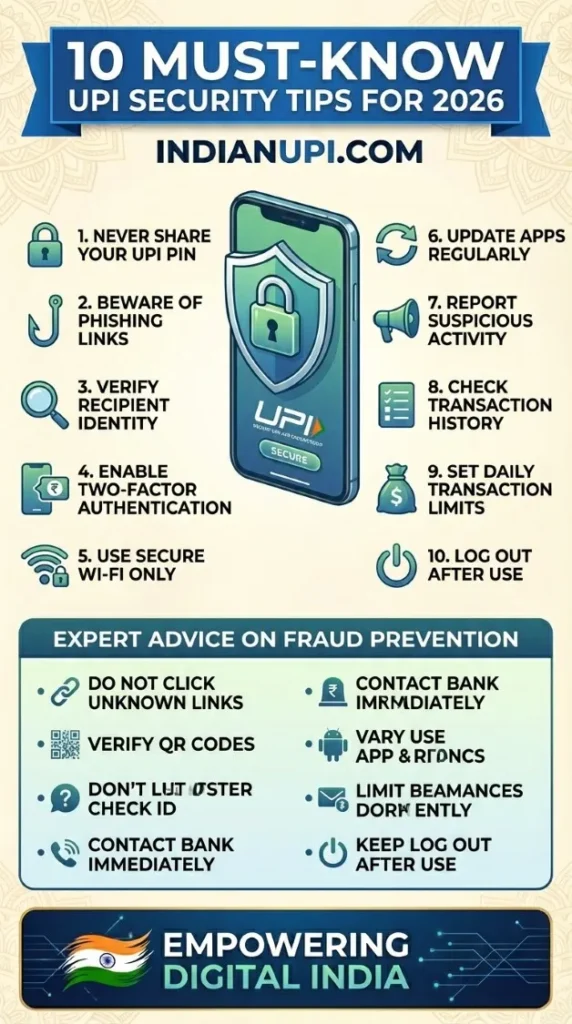
The 10 Golden Rules of UPI Security (Follow These, Stay 99% Safe)
These 10 rules, if followed religiously, make you virtually scam-proof. They're based on analysis of 10,000+ fraud cases - every rule prevents a real, common attack:
✅ ALWAYS DO
Download apps ONLY from Google Play Store / Apple App Store, never from links
Verify merchant name after scanning QR code, before entering amount
Wait for bank SMS + app notification + balance check before confirming receipt
Use app lock (PIN/fingerprint) on your UPI apps
Screenshot every transaction above ₹5,000 with UTR visible
Report suspicious activities immediately via app
Check your transaction history weekly for unauthorized payments
Update UPI apps when prompted (security patches)
Use strong UPI PIN (not 1234, 0000, or birthdate)
Trust your instincts - if something feels wrong, stop
❌ NEVER DO
Share your UPI PIN with ANYONE (not even bank officials or customer care)
Accept payment requests from unknown numbers without context
Click on UPI links sent via SMS/WhatsApp/Email from unknown sources
Download "UPI helper" or "UPI earning" apps from unknown developers
Share OTP received during transaction (it's meant for YOU only)
Let someone "help" you with UPI transaction on your phone
Scan QR codes from photos/screenshots (might be fake)
Install apps asking for UPI PIN during setup (real apps never do this)
Approve payment requests without verifying sender identity
Keep UPI apps logged in on shared/borrowed devices
The One Rule That Stops 90% of Scams
If you remember nothing else, remember this: Your UPI PIN is like your house key. You don't give your house key to strangers, no matter how official they sound. Bank employee? No. Police officer? No. Customer care? No. Prime Minister? Still no. Your UPI PIN leaves your brain, goes to your fingers, enters your phone. That's it. The moment it leaves your mouth or goes into a message, you've been scammed. This single rule stops 90% of UPI fraud.
You've Been Scammed: 7 Steps to Take in First 24 Hours (Time-Critical Actions)
Despite precautions, if you fall victim to UPI fraud, your response in the first 24 hours determines whether you recover your money. Here's exactly what to do, in order of priority:
Immediately Block UPI Access (Within 5 Minutes)
Open your UPI app → Settings → Block UPI / Deactivate UPI. This prevents further unauthorized transactions. Call your bank's 24/7 helpline: Request temporary block on UPI transactions. They'll do it in 2 minutes. This step alone can prevent additional loss of ₹50,000-₹1,00,000.
Report to Your Bank (Within 30 Minutes)
Call bank's fraud helpline (different from customer care - faster response). Report: Transaction details, UTR number, scammer's UPI ID/number, how scam happened. Bank freezes recipient account if done within 24 hours. Recovery rate: 40-60% if reported within 1 hour, drops to 10% after 24 hours.
File Complaint on National Cyber Crime Portal (Within 2 Hours)
Visit cybercrime.gov.in → File complaint → Select "Online Financial Fraud". Provide: UPI transaction details, scammer contact info, full sequence of events. You get complaint number - essential for bank and police follow-up. This creates official record.
File FIR at Local Police Station (Same Day)
Go to nearest police station with: Bank statement showing debit, cyber crime complaint number, all communication with scammer (SMS, call logs, WhatsApp chats). FIR is mandatory for insurance claims and bank investigations. Police increasingly take cyber fraud seriously - they'll register FIR.
Report to UPI App's Customer Care (Within 24 Hours)
If scam happened through specific app (PhonePe, Paytm, etc.), report via their app: Settings → Help → Report Fraud. Apps can: Block scammer's account, flag their UPI ID, assist in investigation. Some apps offer fraud protection insurance (check terms).
Freeze Your Credit Report (Within 48 Hours)
If scammer has your personal info (Aadhaar, PAN, address), they might attempt loan frauds. Contact CIBIL, Experian, Equifax - request credit freeze. This prevents new loans/cards in your name. Free service, can be unlocked when you need credit legitimately.
Document Everything & Follow Up Weekly
Create folder: Save all screenshots, emails, FIR copy, cyber crime complaint, bank letters. Follow up with bank every 7 days (they forget otherwise). Most recoveries happen in 15-45 days if you persist. Don't give up - banks have insurance for fraud, but only if you've followed proper reporting procedures.
The 24-Hour Window is Critical
Banks can freeze recipient accounts and reverse transactions - but only if scammer's account still has money. Scammers know this. They transfer stolen money through 5-10 accounts within hours, making recovery impossible. Your speed determines outcome: Report in 1 hour = 60% recovery chance. Report in 24 hours = 30% chance. Report after 48 hours = 5% chance. The clock starts the moment you realize you've been scammed. Act immediately.
Prevention vs Recovery: The Harsh Reality
Here's the truth nobody wants to hear: Only 15-20% of UPI fraud victims recover their money. Even with FIR, cyber crime complaint, and bank cooperation, most money is gone forever (scammers use mule accounts, cryptocurrency conversion, international transfers). This is why prevention is 100 times more important than recovery. Spend 10 minutes learning to recognize scams = Save ₹50,000 and months of legal hassles. The best security strategy? Never get scammed in the first place.